Main lobbies navigation is driven by Firebase Remote Config — one JSON payload defines the bottom bar and each lobby’s inner tabs. This release is a navigation + stability focus: order, deep links, state, and safe handling when tabs move or disappear.
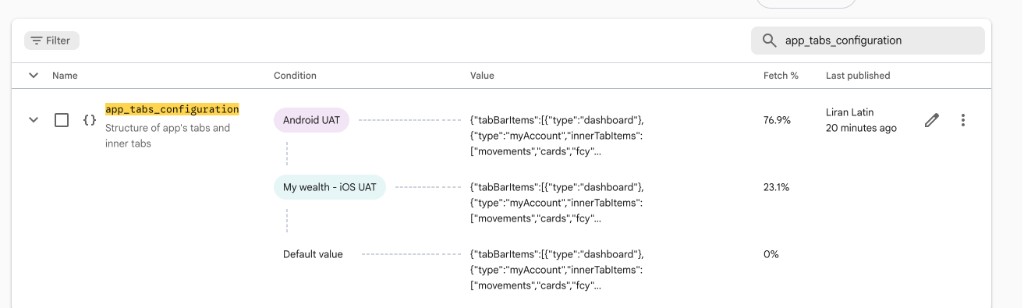
- 🔑 Remote Config parameter: app_tabs_configuration (structure of main tabs + innerTabItems).
- 🧭 QA focus: tab order vs JSON, lazy load, inner chips ↔ pager, scroll/state when switching main tabs, return-from-flow refresh, headers (chat / settings / badge), Android back, and deep links that follow the current hierarchy.
- 🛡️ Unknown tab types are skipped — the app should stay stable (no crash) when JSON changes.
- 📎 References: OZ-97135 (tech QA), OZ-99278 (test plan). Firebase console: bssbfirst → Remote Config → app_tabs_configuration.
- 📦 Packaged defaults can differ by flavor (e.g. remote_config_defaults_dev.xml vs prod) — always confirm the active value in Firebase or the build you’re testing.
📄 Example JSON — app_tabs_configuration (baseline shape; match your environment)
{
  "tabBarItems": [
    { "type": "dashboard" },
    {
      "type": "myAccount",
      "innerTabItems": [ "movements", "cards", "fcy", "savings", "loans" ]
    },
    {
      "type": "payments",
      "innerTabItems": [ "payments", "cheques", "mandates" ]
    },
    {
      "type": "myWealth",
      "innerTabItems": [ "myWealthLobby", "pensions" ]
    },
    { "type": "securities" }
  ]
}
| Platform | ANDROID |
| Type | REMOTECONFIG |
| Status | ✅ Tested & Verified |
Add Partner is split by a backend flag — CanAddAnyPartner — based on whether the inviter had tax-related transactions in the current tax year. When true, customers may add any relationship type (not married-only), the ID slip step is skipped per updated Figma, and copy/analytics differ; when false, the legacy married-only flow and mandatory ID slip remain unchanged. Validate both paths on Android and iOS.
- 📋 Story: OZ-97910 — https://thefirstdigitalbankinsetup.atlassian.net/browse/OZ-97910 (acceptance criteria + DoD).
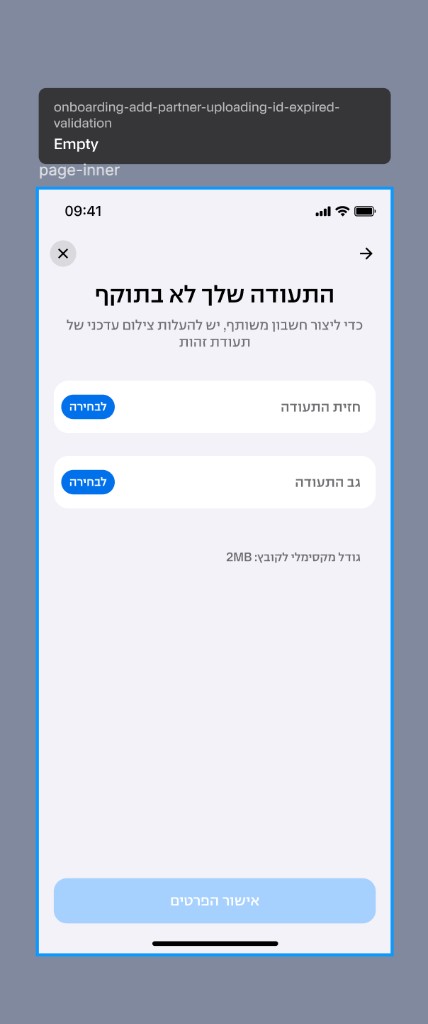
- 🧮 When CanAddAnyPartner = true: inviter may add any partner; skip ID slip upload; new “ID expired” UI needs only front + back (no slip) per Figma; remove the married-only bottom-sheet line (בן/בת זוג); eligibility copy updated (e.g. remove “married spouse in ID appendix” style wording per ticket).
- 🔒 When CanAddAnyPartner = false: keep existing married-only flow; ID slip (ספח ת"ז) stays mandatory; UI and localization unchanged vs baseline.
- 📡 Analytics (Firebase / Mobile Events): fire add_partner_flow when the “who can be added” screen opens; param type = any_partner or married_only.
- 🎨 Design: Figma link also appears under screenshots below (Onboarding / Add Partner).
📡 Analytics — event shape (per story)
event name: add_partner_flow
// when "את מי אפשר לצרף לחשבון" (eligibility) is shown
param: type = any_partner | married_only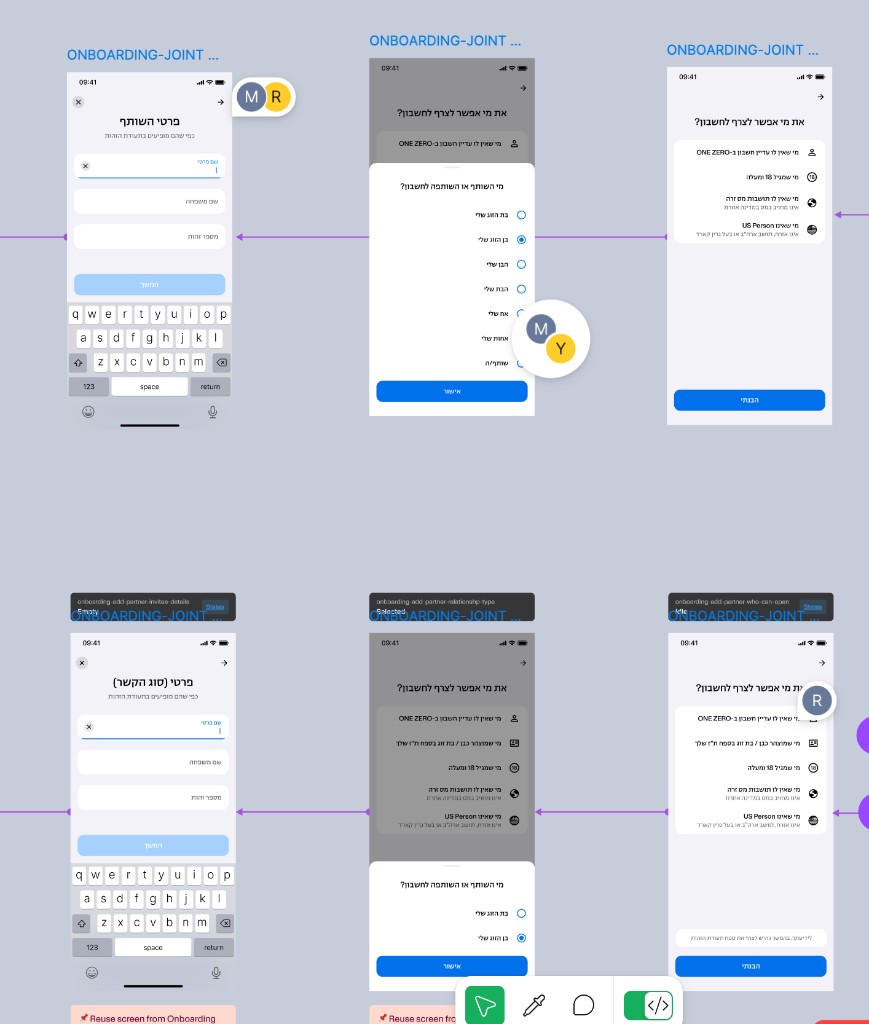
| Platform | BOTH |
| Type | FEATURE |
| Status | ✅ Tested & Verified |
Definition of Done
All features listed above have been tested and verified by the QA team.